
September 29, 2026
IaC Security Best Practices Before You Automate Everything

Hussain Gandhi
Author

Shyam Kapdi
Contributor

Shailesh Davara
Reviewer
Most companies adopt Infrastructure as Code to move faster, not to make things safer. Security becomes a “we’ll deal with it later” problem while teams focus on shipping. That works fine when five people touch the infrastructure. It stops working once fifty people do. This post covers what needs to be in place before IaC gets rolled out across more teams, not after something breaks.
Why IaC Security Gets Skipped in the Early Days
Here’s what actually happens, not the version people like to admit:
- A small team sets up Terraform or CloudFormation to move fast and prove the product works.
- Security reviews feel like friction nobody has time for.
- Nobody owns the decision to “fix it later”; it just happens by default.
- Six months in, that early shortcut is now baked into every module, every pipeline, every team that copied the original setup.
The fix at month one takes an afternoon. The fix at month twelve takes a project plan, a freeze window, and a very uncomfortable conversation about why it wasn’t done sooner. These delayed conversations are exactly what production incidents reveal about your system maturity. This isn’t a technical problem. It’s a timing problem, and timing is a leadership call, not an engineering one.
Secrets Management in IaC: What Not To Do
This is the mistake that shows up in almost every incident report. Here’s what to stop doing immediately if it’s still happening:
- Hardcoded secrets in code. API keys, database passwords, and tokens typed directly into .tf or .yaml files. Anyone with repo access has them.
- Plaintext secrets in state files. Terraform state stores real values, not placeholders. If that file isn’t locked down, the secrets in it aren’t either.
- “Removed” secrets that aren’t actually gone. Deleting a secret from the current version of a file does nothing to erase it from Git history. It’s still there, in every previous commit, for anyone who checks.
The practical fix: use a dedicated secrets manager (Vault, AWS Secrets Manager, Azure Key Vault pick one and use it consistently), reference secrets at runtime instead of storing them in code, and if a secret was ever committed, treat it as compromised and rotate it. Don’t just delete the line and move on.
State File Security: The Non-Negotiables
The state file is the single most sensitive artifact in your entire IaC setup, and it’s often the least protected. Three things need to be true:
- Store state remotely, not on someone’s laptop. Local state files get lost, overwritten, or copied around with zero audit trail.
- Encrypt state at rest. If the storage backend supports encryption (S3, Azure Blob, GCS all do), turn it on. This isn’t optional.
- Control who can read or modify it. State files often contain resource IDs, IP ranges, and secret values. Read access should be as tightly scoped as write access; a lot of teams lock down writes and forget reads matter just as much.
None of this requires a deep technical overhaul. It requires someone deciding it’s a priority and someone else confirming it’s actually done.
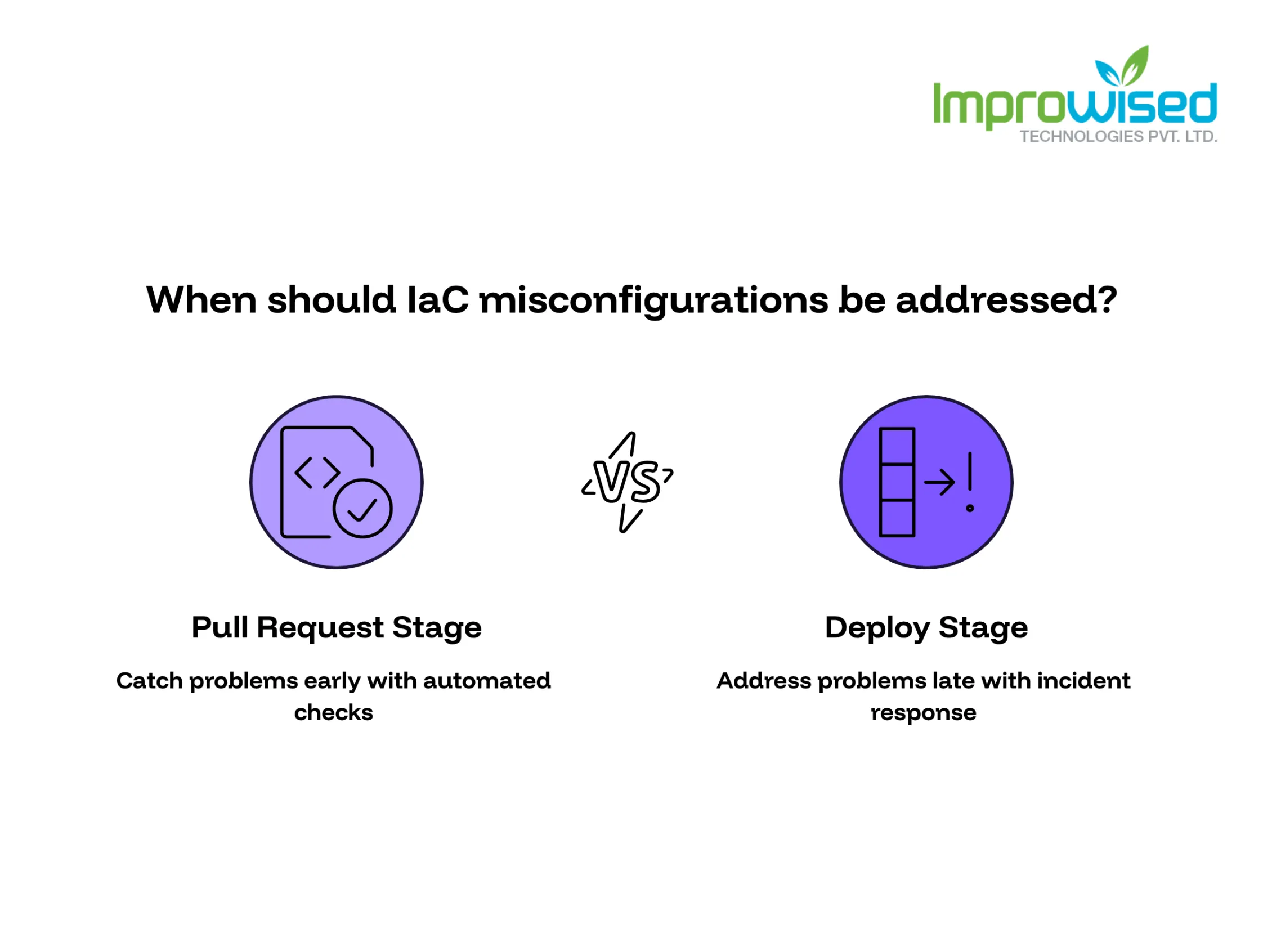
Catch Problems Before Merge, Not After Deploy
Every misconfiguration caught at deploy time was catchable earlier, at the pull request stage, before it ever touched production.
- Set up automated checks that run on every IaC change before it merges, not after it deploys.
- Use policy-as-code tools (Open Policy Agent, Checkov, Sentinel; the specific tool matters less than having one) to flag things like open security groups, public storage buckets, or missing encryption automatically.
- Make these checks a required step, not an optional one someone can skip when they’re in a hurry. See how we baked these automated compliance checks into the pipeline in our GitOps Transformation Case Study for a healthcare provider.
The point isn’t to slow teams down. It’s that a five-minute fix during review time is much cheaper than an incident response call at 2 a.m.
Least Privilege for Your CI/CD Pipeline
This is the gap almost nobody checks until it’s a problem. Ask this question directly: what permissions does your pipeline actually need, versus what permissions does it currently have?
In most companies, the answer is uncomfortable. The service account or role running Terraform often has broad admin-level access because it was easier to set up that way and nobody revisited it.
- Give the pipeline only the permissions it needs for the specific resources it manages, nothing broader.
- Separate permissions by environment. Pipeline access to production should not look identical to pipeline access to staging.
- Review pipeline permissions on a schedule, not just when something goes wrong.
If your CI/CD system is compromised and it has admin access to your cloud account, that’s not a pipeline problem anymore. That’s a company-wide incident.
A Pre-Scaling Checklist for IaC Security
Before rolling IaC out to more teams, confirm these six things are actually true, not “mostly true” or “on the roadmap”:
- No secrets live in code or version control history. All secrets are pulled from a secrets manager at runtime.
- State files are stored remotely, encrypted, and access-controlled.
- Policy checks run automatically before merge, catching misconfigurations before deployment.
- Pipeline permissions match actual need, not default admin access.
- Every team has one clear owner accountable for their IaC security, not a vague “everyone’s responsibility.”
- There’s a documented process for rotating a secret if it’s ever exposed, and someone has actually tested it.
If any of these are a “no,” that’s the fix to make before adding more teams to the setup, not after. To see how your current pipeline security measures up against industry baselines, take our free 5-minute Platform Engineering Maturity Assessment.
Before You Scale This Further
Every one of these issues gets cheaper to fix the earlier it’s caught, and more expensive the longer it’s ignored. Once IaC is running across dozens of teams, a gap in secrets handling or pipeline permissions isn’t a cleanup task anymore; it’s exposure across your entire infrastructure.
Infrastructure & Architecture Review: Have us review your current IaC setup before you scale it to more teams. We’ll tell you exactly where the gaps are and what to fix first. Contact our team today to map out your infrastructure security.
Frequently Asked Question
Get quick answers to common queries. Explore our FAQs for helpful insights and solutions.
IaC security means protecting the code, state files, and pipelines that create and manage your cloud infrastructure, not just the infrastructure itself. A gap here doesn't affect one server. It affects every resource that code touches.
Hardcoding secrets directly into code or leaving them in plaintext inside state files. Even after a secret is deleted from the current file, it usually still exists in Git history and should be treated as exposed.
Yes. State files often contain sensitive values like resource IDs and secrets. They should be stored remotely, encrypted at rest, and access-controlled for both read and write access.
Policy as code is a way to automatically check infrastructure changes against security rules before they merge, instead of finding problems after deployment. For any team running IaC at scale, it's a practical way to catch misconfigurations early rather than expensive.
Only what it needs for the specific resources it manages, nothing broader. Many pipelines run with far more access than required simply because it was easier to set up that way early on, and it's rarely revisited.
Before scaling to more teams, not after. Fixing secrets handling, state file access, and pipeline permissions is a small task with one team. It becomes a much larger project once dozens of teams have built on the same setup.
Written by
Hussain Gandhi
Hussain Gandhi is a DevOps Engineer at Improwised Technologies Pvt Ltd. He focuses on building scalable systems through automation and scripting. He has hands-on experience with cloud infrastructure, CI/CD pipelines, and infrastructure as code. Hussain combines strong technical skills with a collaborative work style. In his free time, he enjoys learning new things.

October 2, 2026
Kubernetes Backup Testing: Why Completed Doesn't Mean Recoverable
Khushi Joshi
Author



October 1, 2026
What Product Architecture Services Actually Cover
Chintan Viradiya
Author


September 23, 2026
How to Ship Faster Without Blowing the Platform Engineering Budget
Chandan Teekinavar
Author

Optimize Your Cloud. Cut Costs. Accelerate Performance.
Struggling with slow deployments and rising cloud costs?
Our platform engineering solutions are built on open-source tools and use AI natively across the workflow.