
September 1, 2026
What FluxCD Actually Does, and When to Use It Instead of Jenkins

Hussain Gandhi
Author

Shyam Kapdi
Contributor

Shailesh Davara
Reviewer
FluxCD is a tool that keeps your Kubernetes cluster matching what’s stored in a Git repository. It checks the repo on its own and corrects anything that doesn’t match, so nobody has to push changes to the cluster by hand. The rest of this post covers one thing only: when moving this job off Jenkins is worth the effort, and when it isn’t.
This isn’t written for the person who will install Flux. It’s written for the person who has to decide if the switch is worth the budget, the risk, and the three to six weeks of engineering time it will actually eat.
What FluxCD Is?
Right now, when someone wants to change something running in your cluster, an engineer (or Jenkins) pushes that change directly to the cluster. FluxCD flips that. You put the desired state of your systems in a Git repository, and Flux watches that repository. If the cluster drifts from what’s in Git, someone made a manual fix, or a config got changed outside the normal process, Flux notices and pulls it back in line automatically.
The category name for this, if you want the label for it, is GitOps. That’s the whole idea: Git is the source of truth, and a tool keeps reality matching it.
What It Replaces, and What Stays the Same
This is the part most vendor pitches skip, and it’s the part you actually need to know before approving budget.
What Flux takes over from Jenkins:
- Triggering deployments: Instead of a Jenkins job pushing code to the cluster, Flux picks up the change from Git and applies it
- Catching and fixing drift: If someone manually edits something in the cluster, Flux reverts it back to what Git says, without a person noticing and fixing it manually
- Keeping multiple clusters in sync: One Git repo can drive several environments, with less manual coordination between them
What doesn’t change at all:
- Your application code and how it’s written
- Your test suite and QA process
- Your CI pipeline that builds and tests code before it’s ready to deploy (Flux picks up after this, not instead of it)
- Your team’s actual engineering practices
If someone tells you FluxCD replaces your whole CI/CD setup, that’s not accurate. Though if your current Jenkins setup is bloated, you might also be suffering from delivery path sprawl. Flux replaces the deployment and drift-correction piece. Nothing more, nothing less.
When the Migration Is Worth It, and When It Isn’t
Be honest about this before you approve anything. Not every team should make this move right now. If you want a data-driven look at whether your current infrastructure practices are ready for GitOps, take our free 5-minute Platform Engineering Maturity Assessment.
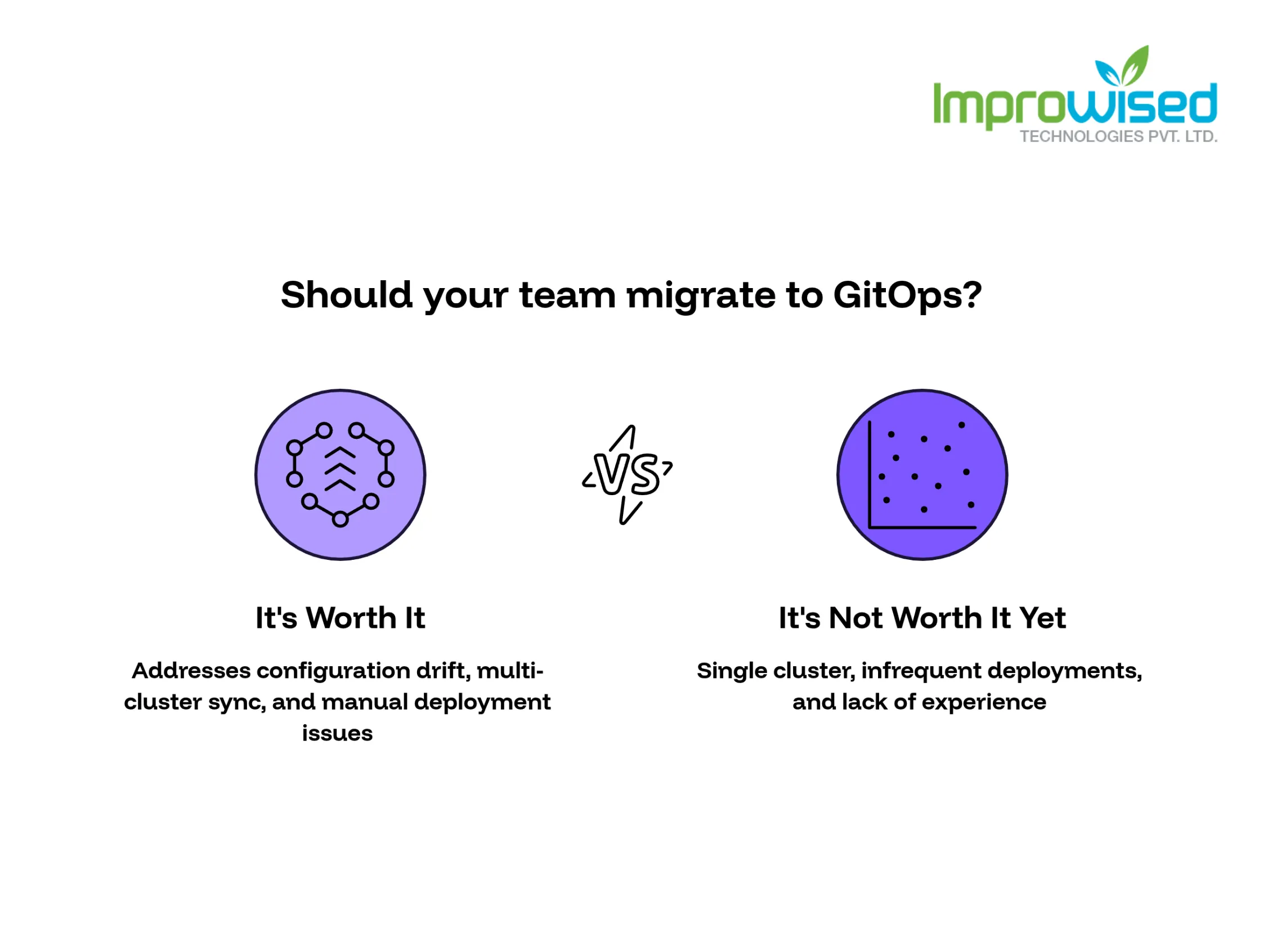
It’s worth it if:
- Your team deals with configuration drift regularly, someone made a manual change last month, and nobody’s fully sure what’s different between what’s in Git and what’s actually running
- You’re running more than one cluster, and keeping them in sync eats real engineering hours every sprint
- Your team is spending measurable time, hours a week, not minutes, on manual deployment syncing or fixing things that drifted quietly
- You’re already scaling infrastructure and expect to add more clusters or environments in the next year
It’s not worth it yet if:
- You’re running a single cluster and deployments happen infrequently
- Your current Jenkins setup isn’t causing drift problems or eating noticeable time
- Your engineering team is already stretched thin on other priorities, this migration needs dedicated attention, not a side project squeezed between sprints
- Nobody on the team has hands-on Kubernetes and GitOps experience yet, and you’re not ready to build that skill first
If your team fits the second list, don’t migrate now. Revisit it in six months. There’s no cost saved by moving early if the problem you’re solving doesn’t exist yet.
Basic Architecture: How Flux Watches and Reconciles
You don’t need the deep technical version for this decision, just the shape of it. Flux runs a loop, and that loop repeats on its own, continuously, without anyone triggering it:
- Flux checks the Git repository for the current desired state.
- It compares that state against what’s actually running in the cluster.
- If there’s a difference, it applies whatever’s needed to make the cluster match Git again.
- It repeats this check on a set interval, so drift never sits unnoticed for long.
That’s the entire idea. No manual step, no person deciding when to sync. If you want the deeper technical breakdown, how the loop is configured, what tooling sits around it, that’s covered in the implementation guide linked below.
What Breaks During Migration If You Skip a Step
This is where most of the real cost shows up, and it’s usually not in the tool itself, it’s in how the transition is handled. Watch for these:
- Running Jenkins and Flux against the same cluster with no clear handoff point. If both systems can push changes to the same cluster at the same time, they’ll fight each other, and nobody will be able to tell which system caused which change.
- Secrets not migrated before cutover. If credentials and secrets are still managed the old way while deployments move to Flux, deployments fail in ways that look random and take hours to trace back to the actual cause.
- Drift alerts firing constantly during the transition. Early on, teams often see a wave of alerts because old manual habits (quick fixes pushed straight to the cluster) haven’t stopped yet. This isn’t a sign the tool is broken, it’s a sign the team hasn’t fully adjusted its process.
- No rollback plan if the cutover goes wrong. Teams that skip this end up stuck mid-migration with neither system fully in control, which is the worst place to be.
None of these are Flux problems. They’re planning problems. A rushed cutover poses a greater risk of downtime than the drift issues you were trying to fix in the first place. This risk mitigation is exactly why companies bring in our Platform Engineering Services to map and execute the transition safely.
Where to Go Next
If you’re still deciding whether this move makes sense for your team, read the Jenkins-to-GitOps case study first, it walks through a real migration, including what went wrong and what the actual time and cost impact was. If you’ve already decided this is worth doing and you’re ready to plan the actual cutover, the deeper implementation guide covers the technical steps your engineering team will need.
Ready to see what this looks like in practice? Read our case study on executing a GitOps Transformation for a Hospital Management System to see scaled them to 7,000+ automated releases a year.
If you’ve decided the migration is worth the effort but you don’t have the internal engineering cycles to execute it flawlessly, contact us today to plan your cutover.
Frequently Asked Question
Get quick answers to common queries. Explore our FAQs for helpful insights and solutions.
No. FluxCD replaces the deployment and drift-correction part of what Jenkins was doing. Your build process, test suite, and CI pipeline stay exactly the same; Flux picks up after code is already tested and ready to deploy.
GitOps means your Git repository is the single source of truth for what should be running in your systems. A tool like FluxCD checks that repository and automatically fixes anything running that doesn't match it.
Most migrations take three to six weeks of focused engineering time, depending on how many clusters are involved and how much manual process needs to change. Rushed migrations tend to take longer because of rework caused by skipped steps.
Not necessarily. If deploys are infrequent and drift isn't a recurring problem, a single-cluster setup often doesn't need this yet. It becomes more valuable once you're managing multiple clusters or seeing drift issues regularly.
Running Jenkins and Flux against the same cluster without a clear handoff point, moving deployments over before secrets are migrated, and having no rollback plan. These are process failures, not tool failures.
Yes. Flux continuously compares the cluster's actual state to what's defined in Git and applies corrections at set intervals, without anyone needing to trigger it manually.
Written by
Hussain Gandhi
Hussain Gandhi is a DevOps Engineer at Improwised Technologies Pvt Ltd. He focuses on building scalable systems through automation and scripting. He has hands-on experience with cloud infrastructure, CI/CD pipelines, and infrastructure as code. Hussain combines strong technical skills with a collaborative work style. In his free time, he enjoys learning new things.






Optimize Your Cloud. Cut Costs. Accelerate Performance.
Struggling with slow deployments and rising cloud costs?
Our platform engineering solutions are built on open-source tools and use AI natively across the workflow.