
October 16, 2026
How to Centralize Business Data: Where to Start

Chandan Teekinavar
Author

Shyam Kapdi
Contributor

Shailesh Davara
Reviewer
Pick based on three things: how many sources you have, how clean their IDs are, and who reads the reports. With two or three sources and one main ERP, its own reports are often enough. With four or more sources and IDs that do not match, a warehouse comes first. With a few clean sources and a need for charts, connect a BI tool directly. Any AI tool you add later can only use data that sits in one digital place with matching IDs. Below, we cover how to choose, which three sources to connect first, and how to fix records that do not match.
How Do You Choose How to Centralize Business Data?
Use this rule:
- 2 to 3 sources, one main ERP: use the ERP’s own reports.
- 4 or more sources, IDs that do not match: build a warehouse first.
- A few clean sources, visuals only: connect a BI tool directly. Check the sources first, then the IDs, then the readers. A finance team that reads one monthly report has different needs from a company where sales, support, and billing each keep their own customer list. We do not recommend a warehouse for two clean sources. It adds a system someone has to own, and the ERP can already answer the questions you have. What this means: the number of sources and the state of your IDs decide the tool. Budget and trends do not.
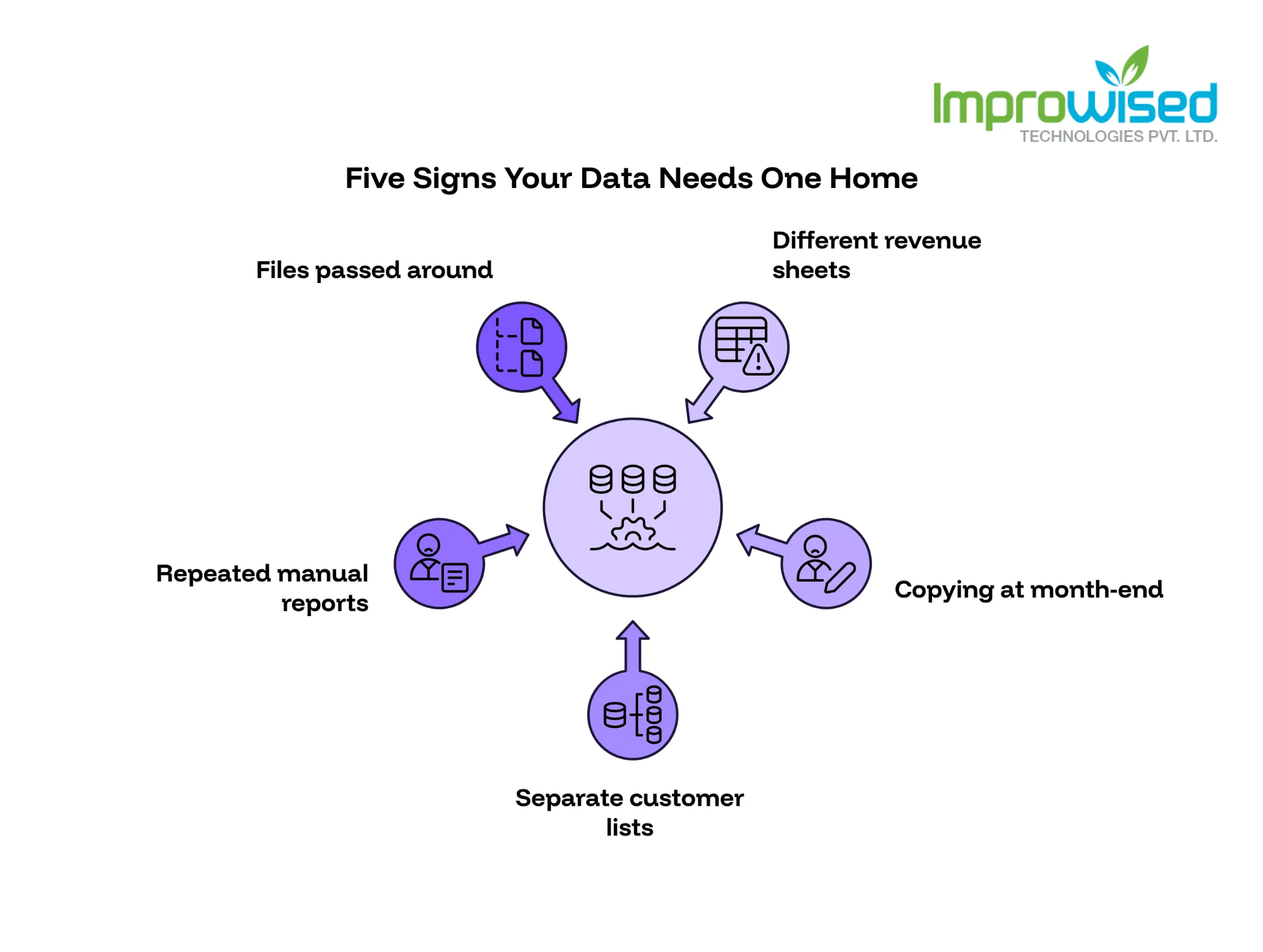
How Do You Know Your Data Needs One Home?
Check your own team against these five signs:
- Two sheets show different revenue for the same month. Nobody can say which one is right.
- Month-end reporting takes days of copying. People paste numbers from one system into another.
- Nobody knows which customer list is current. Sales, support, and finance each keep their own.
- Someone rebuilds the same reports by hand every week. The work is repeated, and the errors repeat with it.
- Access to data means passing files around. Spreadsheets travel by email and chat, and old copies stay in circulation.
Two or more of these means the problem is the setup, not the people. This kind of hidden operational drag is exactly what we outline in What Production Incidents Reveal About Your System Maturity. Your team is not careless. The data sits in places that were never connected, so every report needs manual work to line it up. One sign alone, such as a slow month-end, may only need a better report in the system you already have. Fix that first before adding anything new. What this means: if the same argument about numbers happens every month, the cost is already being paid. It shows up as lost hours and slower decisions.
ERP Reports, Warehouse or Direct BI: Which Fits?
Each option fits a situation and fails in a predictable way. ERP reports. They fit when one system holds most of your data. Setup is light because the data is already there. First-month work is mostly building the reports people ask for and checking them against the numbers finance already trusts. They break once sales, support, or billing data lives outside the ERP, because the ERP cannot see it.
Warehouse. A warehouse is a central repository that collects data from all sources and stores it in a shared structure. It fits many sources and mismatched IDs. First-month work is connecting the first sources, agreeing on one definition for each key field, and loading a first set of clean tables. It breaks when nobody owns the data model. Without an owner, definitions drift, and the warehouse turns into another set of sheets.
Direct BI connection. This points a dashboard tool straight at your sources. It fits a few clean sources. First-month work is connecting the sources and building the first dashboards. It breaks as sources and users grow, because every dashboard repeats the same joins and each one can give a slightly different answer. For the warehouse path, the tools we run are Airbyte, Debezium, Apache Kafka, and dbt, with Postgres or ClickHouse as the store. Airbyte and Debezium move data in, Kafka carries changes as they happen, and dbt turns raw tables into clean ones. Our Data Engineering and Centralization Services use this exact stack. We built a similar setup in our Multi-Cloud Hosted Data Lake Case Study, which describes the work and architecture in full. What this means: a warehouse costs more effort in month one and saves rework later. The real cost is the person who owns it.
Which Three Sources Should You Connect First?
Pick sources that pass all three tests:
- Used in weekly decisions. If nobody looks at it every week, it can wait.
- Clean keys. Customer, invoice, and product IDs are filled in and consistent.
- A named owner. One person can answer “why does this number look wrong?”
For most product and services companies, the first three come from the same places: the system that records invoices, the CRM that records customers and deals, and the tool that records support tickets or usage. Your list may differ. Use the tests, not our guess.
Leave messy, rarely used sources for later. That includes old spreadsheets with free-text fields, exports from tools one person uses, and anything with no owner. Connecting everything at once is how projects stall. The team spends its time cleaning old data and never ships a dashboard anyone uses.
Three sources also give you a fair test. If the first dashboard answers a real weekly question, add the next source. If it does not, you find out early and the change is cheap. What this means: start with the data people already use to make decisions. Add the rest after the first dashboard earns its place.
How Do You Clean Mismatched Customer Records?
Worked example: a customer is ID 4471 in the CRM and ID C-0092 in the ERP. Both rows are the same company. Without a link, revenue shows under one ID and support tickets under the other.
- Match on a shared field. Use tax ID or email. A tax ID is better because emails change.
- Flag near matches. Same company, slightly different spelling, for example “Acme Pvt Ltd” and “ACME Private Limited”. A person confirms each one.
- Keep an exceptions list. Records that cannot be matched are added to a list with a named owner and a date for resolution.
- Store the match as a rule, not a one-time fix. Next month’s new customers then match the same way, and nobody repeats the cleanup.
Where AI helps: suggesting likely matches and spotting odd values, such as a negative quantity or an invoice dated years ahead. It saves hours of scanning. Where it does not: a person owns the match rules and signs off every exception. A wrong match merges two customers, and billing and reporting both carry that mistake. We do not let a model merge records on its own. What this means: one customer list, one owner, and no more “which sheet is right?”
How Does One Data Home Prepare You for AI?
AI tools read the data you give them. If customer records sit in sheets, email attachments and three systems with different IDs, an AI tool returns partial or wrong answers. Centralizing fixes the input, and that is the part most teams skip.
Three things make your data usable by AI:
- A digital record at the point of entry. Orders, requests and customer details go into a web form or the system itself, not onto paper or into a spreadsheet someone emails. Data then arrives in the same structure every time.
- One ID per customer, product and invoice. The matching work above is what lets an AI tool connect a support ticket to the right account.
- A named owner for the rules. When a field changes meaning, one person updates it for everyone.
With these in place, each new AI tool connects once to one store. Without them, each tool needs its own connection and its own cleanup for every system it touches. Teams can try a new tool in days rather than starting a data project first. We use AI in our own workflows for match suggestions and odd-value checks, and it works because the records are already in one place. AI does not fix bad data. We do not recommend adding AI tools while IDs still mismatch. Match first, then add the tool. What this means: the work you do to centralize data is the same work that makes AI usable later. You do both with one project.
Which Dashboard Tool Fits: Power BI, Tableau, ERPNext, Superset or Metabase?
Choose by who reads the reports and where the data lives.
Power BI: fits teams already on Microsoft 365, where people open reports in tools they use daily. Tableau: fits analysts who explore the data themselves and build their own views. ERPNext: fits when ERPNext is your main system and the reports stay inside it. Superset and Metabase: the open-source options featured on our Business Intelligence Services page. Both can run on your own servers, so you control where the data sits.
Where the data lives matters as much as the tool. If your warehouse is Postgres or ClickHouse, all five can read from it, so you can start with one and switch later without rebuilding the data. Build one dashboard per decision and put the decision in the title, for example, “Which invoices to chase this week.” A dashboard with no decision attached collects charts and gets ignored. If a chart does not help someone choose, remove it. Keep each dashboard short enough to read in one sitting. If a dashboard needs a guide to read, split it into two, each tied to its own decision. What this means: pick the tool your readers will open, not the one with the longest feature list.
How Should You Set Up Role-Based Access?
Role-based access means people see and change only what their job needs. Start with three roles:
- Viewer: reads dashboards. Most of your people sit here.
- Editor: builds and changes dashboards. Keep this group small.
- Admin: manages sources, users, and rules. One or two people.
Add row-level rules on top. A regional manager sees only their region, and a team lead sees only their team. The data stays in one place, but each person’s view is filtered. This also removes the habit of sharing files, because there is no reason to send a spreadsheet when the dashboard already shows the right rows. Apply the same roles to AI tools. An AI tool should read only the data its users are allowed to see. Review who has access every quarter, remove anyone who changed roles or left, and write down who approved each admin account. If you want a data-driven view of your wider platform and access practices, our free Platform Engineering Maturity Assessment covers them. What this means: one shared data store is safe only if access is controlled by role, for people and for AI tools, and checked on a schedule.
Which Five KPIs Should You Track From Day One?
Pick five that someone checks every week. More than five, and none of them gets attention.
Define each KPI in one line with five parts:
- Name: what it is called on the dashboard.
- Formula: how it is calculated.
- Source: which system the numbers come from.
- Owner: the person who answers questions about it.
- Refresh time: how often the number updates.
For example, a KPI called “Overdue invoices” has a formula, a source in the finance system, an owner in finance, and a daily refresh. Write this once, store it next to the dashboard, and show it on hover or on a notes page. A KPI with no owner is a number nobody acts on. If two teams define the same KPI differently, settle it before the dashboard goes live, not after the first argument. What this means: five KPIs with clear owners do more than twenty with none. If your business is struggling to centralize its data into a single, trusted source of truth, contact our team today to map out a data architecture that actually works.
Frequently Asked Question
Get quick answers to common queries. Explore our FAQs for helpful insights and solutions.
For pipelines, we run Airbyte, Debezium, Apache Kafka, and dbt, with Postgres or ClickHouse as the store. For dashboards, choose Power BI, Tableau, Superset, or Metabase based on who reads them and where the data lives.
It helps with match suggestions and odd-value checks. It cannot own the rules. A person signs off on the matches and the exceptions.
It depends on how many sources you connect and how clean their IDs are. Connecting three clean sources takes less time than connecting ten messy ones, which is why we start with three. We scope the timeline after we see your source list.
Usually not. If one ERP holds most of the data, start with its reports.
The three sources behind your weekly decisions, with clean keys and a named owner.
A warehouse stores and organizes data from many sources. A BI tool shows that data as charts and reports. You can use a BI tool alone on a few clean sources, but you need a warehouse once sources multiply and IDs stop matching.
Written by
Chandan Teekinavar
Chandan Teekinavar is a DevOps Engineer at Improwised Technologies. Passionate about Infrastructure as Code and CI/CD pipelines, he focuses on optimizing cloud deployments and enhancing the security and performance of modern applications. He plays a key role in ensuring high availability and driving DevOps best practices across projects








Optimize Your Cloud. Cut Costs. Accelerate Performance.
Struggling with slow deployments and rising cloud costs?
Our platform engineering solutions are built on open-source tools and use AI natively across the workflow.