
November 19, 2026
Infrastructure Review Report: What’s Inside, With a Sample Finding

Chintan Viradiya
Author

Shyam Kapdi
Contributor

Shailesh Davara
Reviewer
An infrastructure review report has six parts for each finding: what we saw, the evidence, the risk, the cost, the fix, and the effort. Findings are ranked so you know what to fix first. This article shows one finding from start to end, explains how findings are ranked, and lists what the first 30 days after a review should cover.
If you have paid for a review before and received a long document that nobody acted on, this is the problem the format is built to solve. A report is only useful if the person reading it can decide what to do on Monday morning.
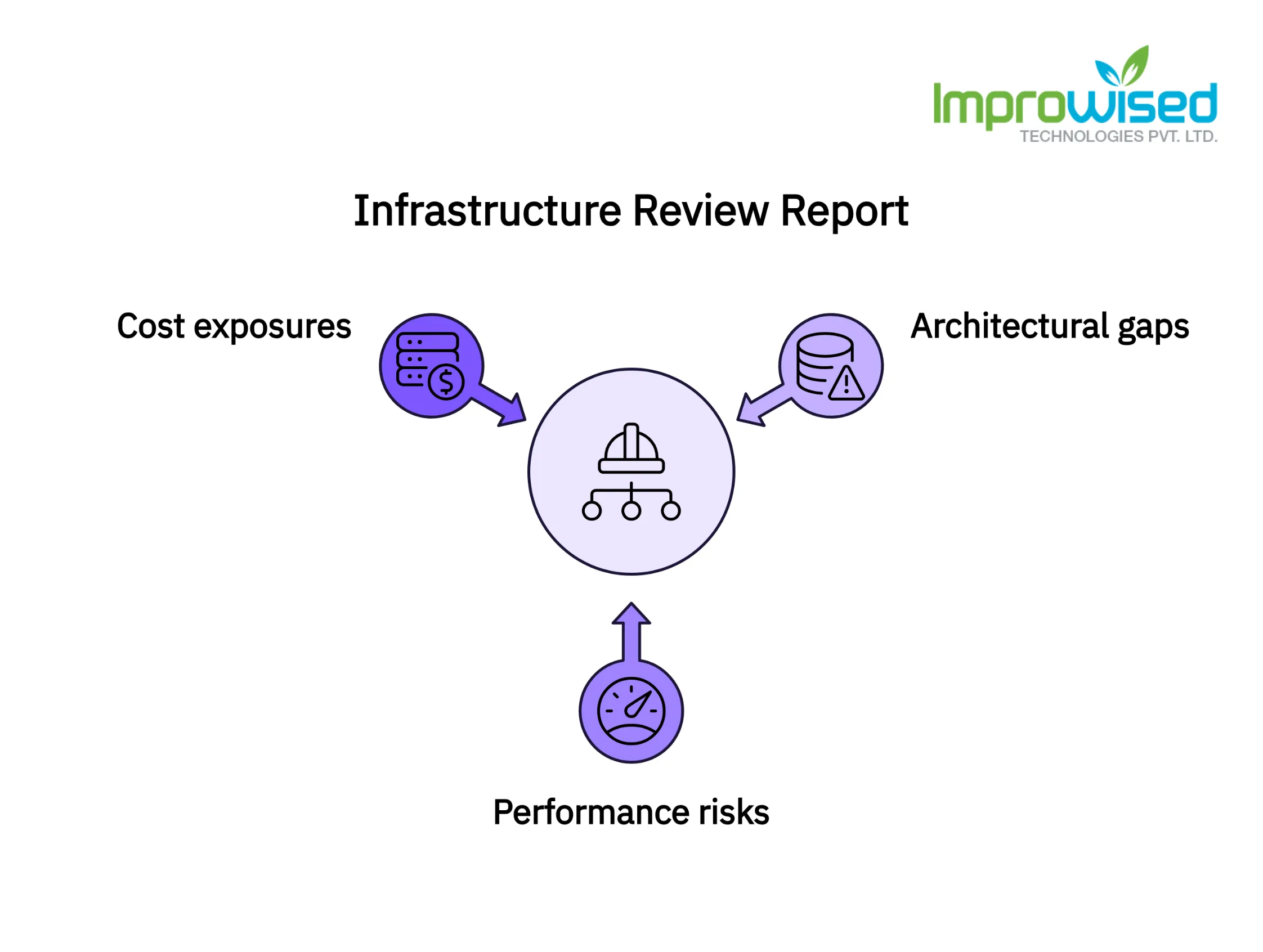
What Is in an Infrastructure Review Report?
The report has three main sections:
- Architectural gaps: places where the way your systems are built creates risk or limits growth. Example: one database that every service depends on, with no backup path.
- Performance risks: parts of the system that slow down or fail when traffic rises. Example: a login service that handles normal traffic fine but stalls when a marketing email brings ten times the usual visitors.
- Cost exposures: spending that does not match what you actually use. Example: servers sized for a launch that happened two years ago.
Each section ends with a prioritized action plan. That is a ranked list of fixes, each with a score, an effort level, and a suggested action. It is not a list of opinions, and it is not a general “best practices” checklist copied from a template. Every item comes from something measured in your own environment.
Most of the report is evidence: graphs, configuration details, and logs. You do not need to read all of it. Each finding has a short summary at the top, so you can scan the whole list in about an hour and go deeper only where a finding affects you.
The format is the same for every finding, and that is deliberate. Your finance lead can read the cost line. Your CISO can read the risk line. Your platform team can read the fix line. Nobody has to translate for anybody else, and nobody has to sit through a meeting where one person explains the report to another.
What Does a Cloud Infrastructure Review Cover?
A review looks at five areas. Each one answers a plain question.
- Performance and bottlenecks: Where does the system slow down when traffic goes up, and which part gives out first?
- Cost: Which resources sit idle, and which are bigger than the work they do?
- Security posture: Which settings leave doors open that should be closed? Common examples are public storage, wide access permissions, and missing encryption.
- Observability coverage: If something breaks at 2 a.m., will your team get an alert, and will they know where to look?
- Infrastructure-as-Code drift: Does what is running match what your code says should be running?
Here is why each one matters.
Performance. Most systems work fine on a normal day. The question is what happens on the busiest day of the year. A review finds the weakest part before your customers do. Often it is one small component, such as a database connection limit, that holds back everything else.
Cost. Cloud bills grow quietly. Someone starts a test environment and forgets it. A team picks a larger server “to be safe” and never revisits it. Each item is small, but together they can account for a large share of the monthly bill.
Security posture. This is about settings, not hackers in movies. Most cloud security problems come from a setting that was left open during a rushed project and never closed.
Observability. This means your ability to see what your systems are doing. If a failure happens and no alert fires, you hear about it from a customer. A review checks which parts have alerts, which have none, and whether the alerts reach a person who can act.
Drift. Drift is the one teams miss most often. It happens when someone changes a setting by hand during an incident and never records it. The system works, so nobody notices. Then the next deployment overwrites the change, and the same outage comes back with no clear cause. If manual changes are routinely bypassing your automated pipelines, test your team’s operational readiness with our free Platform Engineering Maturity Assessment.
These five areas are connected. A cost problem can hide a security problem. An environment nobody uses is also an environment nobody watches. That is why a review looks at all five together instead of as separate projects.
Sample Infrastructure Finding, Start to End
This is a SAMPLE finding. It shows the format. It is not from a client report.
- Observation: A staging environment runs 24 hours a day at production size.
- Evidence: Utilization graphs show it sitting idle outside working hours.
- Risk: Wasted spend, and more open doors for someone to try than you need, with nobody watching them at night.
- Cost: You pay full price for a test environment that is used about a quarter of the week. The rest is waste. In a real report, this line shows the exact monthly amount taken from your own bill.
- Fix: Schedule shutdown outside working hours.
- Effort: Low.
Why each line matters:
- Observation states the problem in one sentence, with no jargon. If it cannot be said plainly, it is not ready to be a finding.
- Evidence is what separates a finding from an opinion. If a finding has no graph, log, or setting behind it, question it.
- Risk covers more than money. An idle system still holds data, still accepts connections, and still needs security updates.
- Cost gives a number your finance team can check against the bill.
- A fix is one action that one person can be assigned.
- Effort tells you whether it is an afternoon of work or a quarter-long project.
This finding is small, and it is typical. A week has 168 hours. A team working a normal five-day schedule uses a staging environment for roughly 40 of them. The other 128 hours are paid for and unused.
Most first reviews turn up several findings like this one. They are often the fastest savings on the list, because the fix is a schedule, not a redesign. Your team can usually do it in a single afternoon, and the next bill shows the result.
How Findings Are Ranked: The Priority Score Explained
A report with 40 findings is useless if every one looks equally urgent. Ranking solves that. Every finding gets two ratings:
- Severity (1 to 5): how much damage it does if it goes wrong. A 5 means an outage, a breach, or data loss. A 1 means a minor annoyance.
- Likelihood (1 to 5): how probable it is. A 5 means it is already happening or very likely to happen soon. A 1 means it would take unusual circumstances.
Severity × likelihood = priority score. The maximum is 25.
Effort is rated separately: low, medium, or high. It is kept apart from the score on purpose. A hard fix should not look less important just because it is hard. If a finding scores 20 and takes three months, you need to know it scores 20.
SAMPLE ranking:
| Finding | Severity | Likelihood | Score | Effort |
|---|---|---|---|---|
| Staging runs 24/7 | 2 | 5 | 10 | Low |
| Database has no tested restore | 5 | 3 | 15 | Medium |
| Open admin access from the internet | 5 | 4 | 20 | Low |
How to read the table:
- High score, low effort: do these first. They remove the most risk for the least work. In the table above, the open admin access goes first.
- High score, high effort: plan these, give them an owner and a timeline, and start them early because they take the longest.
- Low score, low effort: do these when there is spare time. The staging shutdown is a good example, since it saves money even though the risk is moderate.
- Low score, high effort: put these on the backlog and decide later whether they are worth doing at all.
Without scores, teams fix what is loudest or what is most interesting to them. Scores point them at what is most likely to hurt. They also give leaders a fair way to explain why one fix is being done before another.
Cost, Performance and Risk Sections in the Report
Each section holds different material, and each is written for a different reader.
Cost section
- Spend broken down by service and by environment
- Idle and over-provisioned resources, with the monthly amount for each
- What is driving the bill up, such as data transfer, storage growth, or unused reservations
This section is for your finance lead and the person who owns the cloud budget. For deeper insight into how foundational technical decisions drive these bills, read our article: Cloud Cost Optimization: Why Architecture Matters. It answers one question: where is the money going, and how much of it is not doing any work?
Performance section
- Bottlenecks found under load
- Which component fails first, and at what traffic level
- What to change to move that limit
This section is for your engineering leads and product owners. It matters most before a launch, a sales push, or a large new customer, when traffic is about to rise.
Risk section
- Security misconfigurations, such as open access or missing encryption
- Fragile releases, where one bad deployment can take down production
- Gaps in monitoring and backups
This section is for your CISO, your head of engineering, and anyone responsible for uptime. A “fragile release” is a release process where one mistake has no safe way back. If your team is nervous before every deployment, this section will explain why. See how we eliminated fragile releases and achieved zero-downtime deployments in our GitOps Transformation Case Study.
If you are short on time, read in this order: risk first, cost second, performance third. Risk items can cause an outage or a breach. Cost items drain money every month but rarely cause an emergency. Performance items become urgent when you expect growth.
What to Fix in the First 30 Days After a Review
Work from the top of the ranked list. Every item needs one owner and one date. An item with a team name instead of a person, or a quarter instead of a date, will not get done.
Days 1–5: Agree on the list
- Hold the review session with your engineering and security leads.
- Confirm the top items, assign one owner to each, and set dates.
- Decide what you are not doing yet. A written “not now” is better than a task that quietly disappears.
Days 5–15: Do the high-score, low-effort items
- Shut down idle environments.
- Close open access and fix obvious security settings.
- Turn on missing alerts, and send them to a person, not an unread inbox.
Days 15–30: Start the medium-effort items
- Run a real database restore test. A backup you have never restored is a hope, not a backup.
- Fix drift between code and running systems.
- Break up the release steps that cause outages, so one failed step does not stop everything.
Day 30: Check the results
- Compare your next bill against the cost line in each finding.
- Mark each item as done, in progress, or deferred.
- Update the scores. A fixed finding drops off, and a new one may move up.
High-effort items get their own plan and timeline. Do not squeeze them into the first month. A half-finished big change is often riskier than the problem it was meant to fix.
Review Timeline and What You Need to Provide
How long it takes: The time depends on how many environments and cloud accounts are in scope. A small setup takes less time than a large one with many accounts. The timeline is confirmed on the scoping call, before you pay anything.
The process:
- Intake form. You describe your setup and your goals. Contact our team today to request your intake form and get the process started.
- 15-minute scoping call. We confirm what is in scope and what is not, so nobody is surprised later.
- NDA signed before any access is given.
- Temporary, scoped access. Limited to what the review needs, and removed when it ends.
- Payment link to confirm the engagement.
- Report and review session. You receive the written report, then a live walkthrough with your team.
What you provide:
- A completed intake form
- One person who knows your setup and can answer questions quickly
- Approval to grant temporary access
- Time for your engineering and security leads to join the review session
The person who answers questions has the biggest effect on speed. When questions get answered the same day, the review moves faster, and the findings are more accurate.
Request an assessment through the form on our Infrastructure and Architecture Review page.
Written by
Chintan Viradiya
Chintan Viradiya is a DevOps Engineer at Improwised Technologies. Passionate about Infrastructure as Code and CI/CD pipelines, he focuses on optimizing cloud deployments and enhancing the security and performance of modern applications. He plays a key role in ensuring high availability and driving DevOps best practices across projects






Optimize Your Cloud. Cut Costs. Accelerate Performance.
Struggling with slow deployments and rising cloud costs?
Our platform engineering solutions are built on open-source tools and use AI natively across the workflow.