
November 26, 2026
How to Keep Control When an Outside Team Builds Your Feature

Chandan Teekinavar
Author

Shyam Kapdi
Contributor

Shailesh Davara
Reviewer
When an outside team builds your feature, you keep control with three written things: acceptance criteria, a fixed demo rhythm, and release notes. This article shows what to agree on before sprint one, how to write acceptance criteria that can fail, what a release note should say, and what to do in the first week of a slipping sprint.
Outsourced Agile Team Management: The 3 Documents That Give You Control
Most problems with an outside team don’t come from bad people. They come from two sides holding different ideas of what “finished” means. Watching the vendor’s screens or asking for daily status messages won’t fix that. Writing it down will.
- Acceptance criteria: the pass/fail checks a feature must meet before it counts as done. They remove arguments about whether work is complete.
- Demo schedule: one fixed day every sprint where the vendor shows working software. You see real progress instead of hearing about it.
- Release notes: a plain list of what shipped, what changed, what was fixed, and what is still broken. Anyone on your side can read it, technical or not.
If one of these is missing, you find out about problems late, usually when a deadline is already close. With all three in place, you can judge progress without reading a line of code.
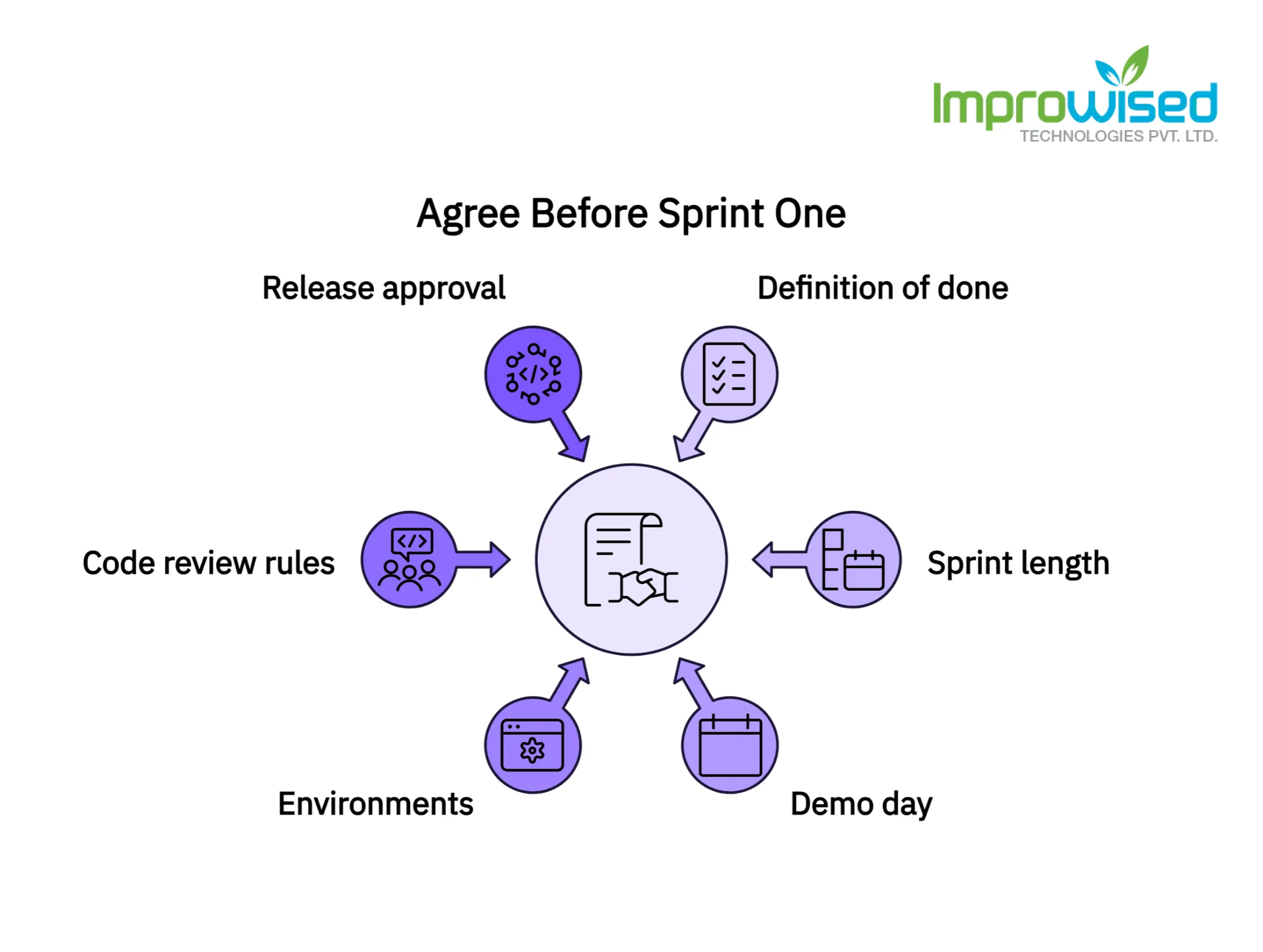
What to Agree Before Sprint One
Settle each of these before any work starts, and write down who has the final say. A missing decision-maker is where most delays begin.
- Definition of done: your product owner decides. “Done” means built, tested, reviewed, and demoed. “Coded” is not done.
- Sprint length: both sides agree. Keep it short and fixed, so problems show up early and the rhythm stays predictable.
- Demo day: you decide. Pick one weekday and keep it every sprint. Moving it once makes it easy to move again.
- Environments: the vendor sets up test and staging. You approve who gets access and what data can be used. Before bringing an external team into your infrastructure, run your current setup through our free Platform Engineering Maturity Assessment to spot environment and access gaps.
- Code review rules: you set the minimum. For example, no code is merged without approval from a second person.
- Release approval: you decide. The vendor never releases to real users on its own.
Put these in a one-page working agreement and have both sides sign it. If a dispute comes up later, that page settles it.
Scrum or Kanban: Pick by Type of Work
The choice depends on the kind of work you are handing over, not on which one sounds more modern.
- Scrum fits planned feature work. The team commits to a set of stories for each sprint and reviews them at the end. Use it for a new module, a new screen flow, or a planned integration.
- Kanban fits a steady flow of small requests. Work moves across a board, and a limit on work in progress keeps the team from starting too much at once. Use it for bug fixes, small changes, and support requests.
Some projects need both. In that case, run them as two separate streams with separate boards, so urgent small fixes don’t break planned feature work.
How to Write Acceptance Criteria That Can Fail
A criterion that can’t fail can’t protect you. “The export works well” is an opinion. “The file has the listed columns” is a check anyone can run and get the same answer.
Example story: As a finance user, I can export last month’s invoices as a CSV.
Criteria:
- The file has exactly the columns listed in the spec, in the listed order.
- An export of the agreed row count finishes within the agreed time limit.
- A user without the finance role gets a 403 response and receives no data.
- An empty month returns a file with headers only, not an error.
Rules for every criterion:
- One check, one line. If a line needs “and,” split it into two. Otherwise, half of it can pass while the other half fails, and nobody can say whether the story is done.
- Name the limit. Fill in the real row count and time limit with the vendor before sprint one. Leave no blanks and no words like “fast” or “quickly.”
- Add a “who can’t” case. Access rules are the checks most often skipped, and the most expensive to miss.
- Add an empty or bad-input case. Real users will upload blank files and type strange characters. Decide now what should happen.
- Write them before the sprint starts. Criteria written after the build will match whatever was built.
- Get the vendor’s written agreement. A criterion the vendor never accepted is a wish, not a contract term.
Sprint Rhythm, Demos and Meetings
Keep sprints short and the same length every time. Short sprints show problems while they are still small. Long sprints hide them until they are expensive.
- Daily stand-up: a short call where each person says what they finished, what they are doing next, and what is blocking them. It is not a status report for managers. If a blocker comes up, someone leaves the call with a name and a date for fixing it.
- Backlog grooming: before each sprint, the product owner and vendor lead go through upcoming stories, confirm the criteria, and flag anything unclear. Unclear stories are the top reason sprints slip.
- Demo: the product owner, at least one real business user, and the vendor lead attend. The vendor shows working software, not slides. If it can’t be clicked through, it isn’t done.
- Retrospective: after each sprint, the team lists what to keep, what to stop, and one change to try next. Pick only one change, or nothing gets fixed properly.
Rule for demos: if a story isn’t demoed, it doesn’t count as complete. No exceptions for “almost finished.” An exception once becomes a habit by the third sprint.
Release Notes and Sign-Off
Release notes let a non-technical person see exactly what changed in the product. They also give you a record to check against the acceptance criteria. Ask for them with every release, in this format:
- Added: Invoice export to CSV for finance users.
- Changed: Export button moved to the Reports page.
- Fixed: Date filter no longer skips the last day of the month.
- Known issues: Customer names with special characters display incorrectly in the export. Fix planned for next sprint.
Sign-off steps:
- Vendor QA tests against the acceptance criteria and sends the results in writing.
- Your tester repeats the same checks in staging.
- Your product owner approves in writing.
- Release happens only after step three.
An empty “Known issues” section is a red flag. Every release has some. If the vendor lists none, either testing was thin, or the notes are incomplete. Ask which one it is.
How to Handle Scope Changes in the Middle of a Project
This is the main difference between agile and a fixed-scope contract. With a fixed scope, every change becomes a contract dispute over price and blame. With agile, a change is a new item in the backlog, and you decide where it goes. This transparent, backlog-driven workflow is exactly how we run our Custom Software Development Services.
- Every new request goes into the backlog as a written story with its own acceptance criteria. Verbal requests in a call don’t count.
- Your product owner approves it and sets its priority against everything already waiting.
- The current sprint stays untouched. The change starts next sprint, unless something of equal size comes out to make room.
- The vendor states the effect on cost and dates before work begins, in writing.
If you want to change the process itself, such as moving from Scrum to Kanban, do it between sprints, never during one. Changing how the team works while the team is mid-delivery creates confusion about what is committed.
What to Do When a Sprint Slips
A slipping sprint is normal. A slipping sprint with no response is the real problem. Start this plan the moment you see work falling behind.
- Day 1: Name the cause and the affected stories. Ask the vendor lead for a written list. The usual causes are unclear criteria, a blocked dependency, or an underestimate. Each one has a different fix, so naming it matters.
- Day 3: Agree what moves. Decide which stories go to the next sprint and which stay. Protect the highest-priority story first, and drop lower-priority ones before touching it.
- Day 5: Review the plan and the estimate method. If the same cause shows up twice, change how the team estimates. Smaller stories and a stricter definition of done fix most repeat slips. If your releases are still stalling even after tightening sprint scope, read our breakdown: Why Your Deployment Frequency Is Slowing Down.
Don’t add people mid-sprint. New people need time to learn the code and the team, and that time comes out of the people already working. It slows the team before it speeds it up.
If you want an external engineering team that works with clear acceptance criteria, fixed demos, and zero surprises, contact our team today.
Frequently Asked Question
Get quick answers to common queries. Explore our FAQs for helpful insights and solutions.
Use three written controls: acceptance criteria for every story, a fixed demo day each sprint, and release notes for every release. Before sprint one, agree on who decides the definition of done, the code review rules, and release approval. Your product owner approves each release in writing.
Scrum works in fixed sprints with a committed set of stories, and it fits planned feature work. Kanban moves work continuously across a board with a limit on work in progress, and it fits a steady stream of small requests like fixes and minor changes.
Write each criterion as a single pass/fail check with a specific limit. Add one access check per story, such as what a user without the right role should see. Write the criteria before the sprint begins and get the vendor's written agreement.
Working software running in a test environment, used the way a real user would use it. Slides and screenshots don't count.
A fixed-scope contract locks the feature list upfront, so every change needs a contract discussion. Agile keeps the scope open: changes enter the backlog, get priority from your product owner, and start in the next sprint.
Written by
Chandan Teekinavar
Chandan Teekinavar is a DevOps Engineer at Improwised Technologies. Passionate about Infrastructure as Code and CI/CD pipelines, he focuses on optimizing cloud deployments and enhancing the security and performance of modern applications. He plays a key role in ensuring high availability and driving DevOps best practices across projects








Optimize Your Cloud. Cut Costs. Accelerate Performance.
Struggling with slow deployments and rising cloud costs?
Our platform engineering solutions are built on open-source tools and use AI natively across the workflow.